

Open Settings and switch to Appearance, or type /theme.
Themes
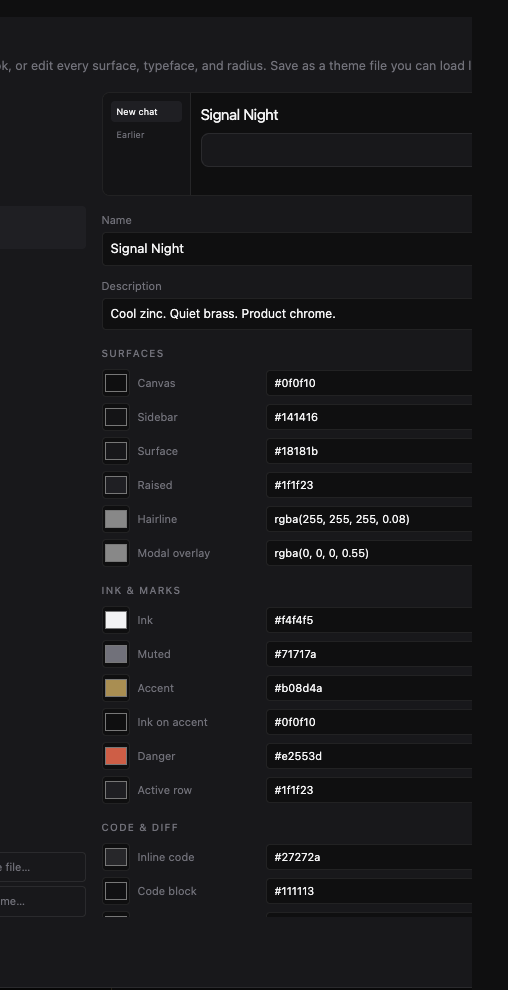
The Workbench ships with a few ready-made looks. Pick one and the whole window updates: sidebar, chat, and panes. You can also edit colors and type if you want a custom theme, then save it as your own.
Project colors
Each project has a color dot in the sidebar. Click it and pick a swatch. That color is a visual label only — it does not change how Grok works.
Layout
- Drag the edge of the sidebar to make it wider or narrower.
- Show or hide Activity, Browser, and Git from the sidebar.
- Use the grip on a pane header to swap the order of the right-hand panes.
- Drag a pane’s inner edge to resize it.
The window remembers these sizes the next time you open the app.