

The Knowledge pane is a map of notes about the current project. Open it from the sidebar: Knowledge → Show. It needs a project with a folder attached.
What it is
The Workbench keeps a knowledge folder inside the project. That folder is a real Obsidian vault. Grok writes orientation notes there; you can add your own. The pane shows those notes as a graph — dots linked to each other — and lets you read one at a time.
The graph
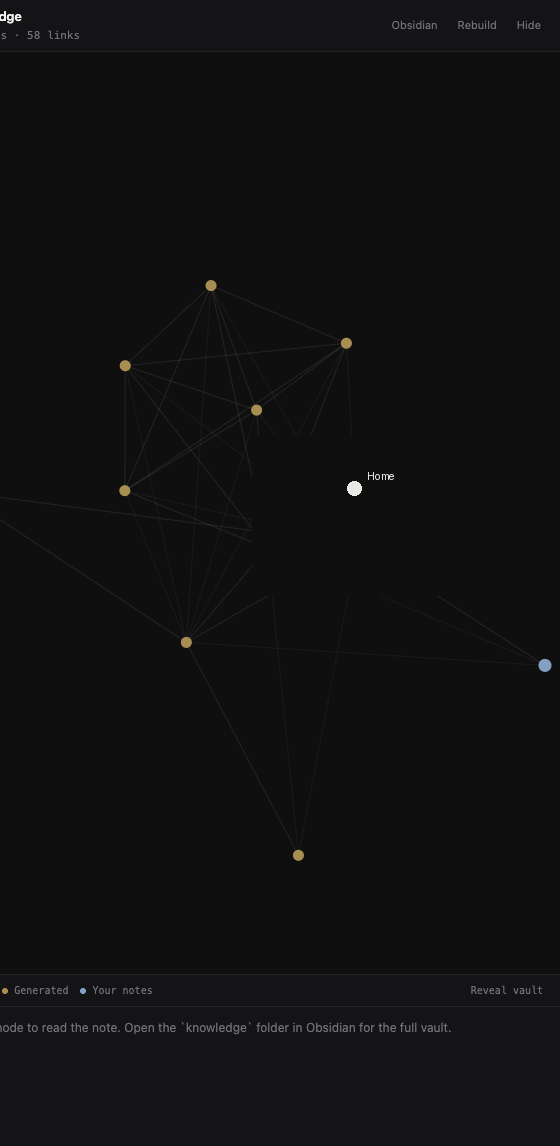
Three kinds of notes:
- Home — the map of the vault.
- Generated — notes the Workbench writes (overview, architecture, and similar). These update when you rebuild.
- Your notes — anything you put in
notes/. The Workbench never overwrites these.
Click a dot to read the note below the graph. Drag dots if you want to rearrange the view. The footer shows how many notes and links are in the vault.
Buttons
- Rebuild — refresh generated notes from the current project (after the folder is indexed, or after big changes). Better after a Codegraph index.
- Obsidian — open the vault in Obsidian if you have it installed (Open folder as vault).
- Reveal vault — show the
knowledgefolder in Finder. - Hide — close the pane.
Writing your own notes
Put markdown files in knowledge/notes/. Link them the Obsidian way, with [[square brackets]]. They show up on the graph and stay yours. Generated files live in knowledge/generated/ — treat those as Grok’s, not a place to keep lasting writing.
If you use Obsidian, new notes created there land in notes/ by default.