

When a project is attached to a git repository, the Git pane shows the current branch, uncommitted files, and recent history. You do not have to leave the Workbench to commit.
The Git pane
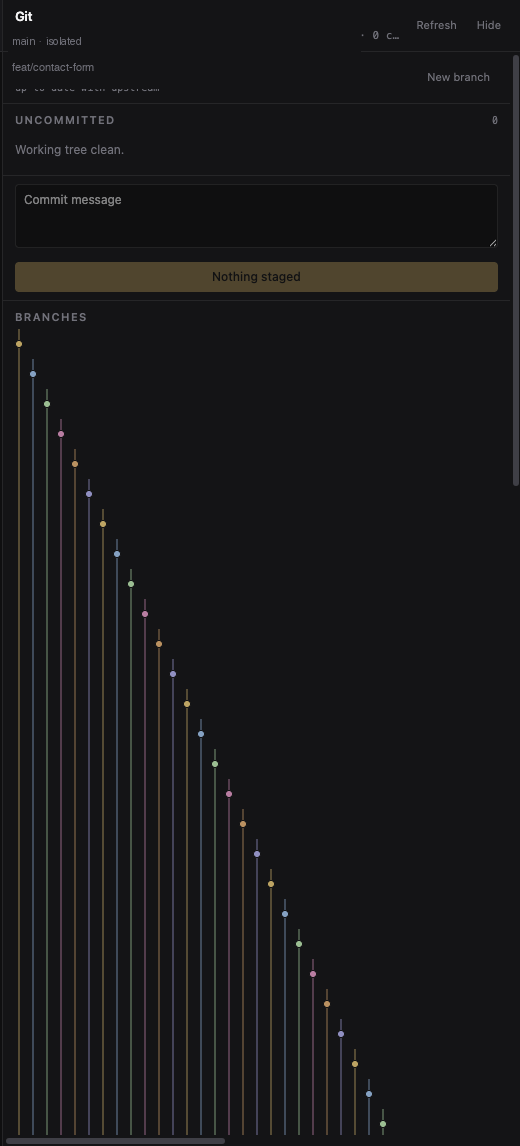
Open it with the Git toggle in the sidebar, or click the branch name on a project.
- See which files changed, and open a diff.
- Stage or unstage a file.
- Discard a file (this cannot be undone — the app asks first).
- Type a commit message and commit what is staged. This does not push.
- Create a branch, or click a commit in the graph to check it out.
You can also type /commit in the chat and let Grok write the message after looking at the diff. /review asks Grok to critique the current changes without editing them.
Private copies of the folder
Sometimes Grok works in a private copy of the project instead of your main folder. That happens when a request looks like an experiment, or when other chats in the same project already have their own copies. The Git pane then says isolated.
This keeps two chats from stepping on each other’s files. Your main folder stays as it was until you choose to bring the work over.
Rewind
Grok takes checkpoints as it works. You can go back to an earlier point:
- Press Escape twice, or type
/rewind. - Pick a checkpoint. Later messages are dropped, and files are restored to that point when a checkpoint includes them.
Use rewind when a change was wrong, not as everyday undo for a single typo. For a single file, discarding that file in the Git pane is often enough.
What git does not do here
The pane does not push or pull for you. It does not replace a full git client for merges and remotes. It is there so the conversation, the diff, and the commit sit in the same window.